Nika Creative · Beta
Every creative app, in one window
Photo, video, motion graphics, vector, layout, audio, PDFs, documents, spreadsheets, slides, CAD — and an AI video editor. Ask Nika in any app, and everything you save lands in your Nika Library.
Free · Uses your Nika account
Open NikaCreativeSetup.exe when it finishes downloading. If Windows says “Windows protected your PC”, click More info → Run anyway — our installer isn’t code-signed yet.
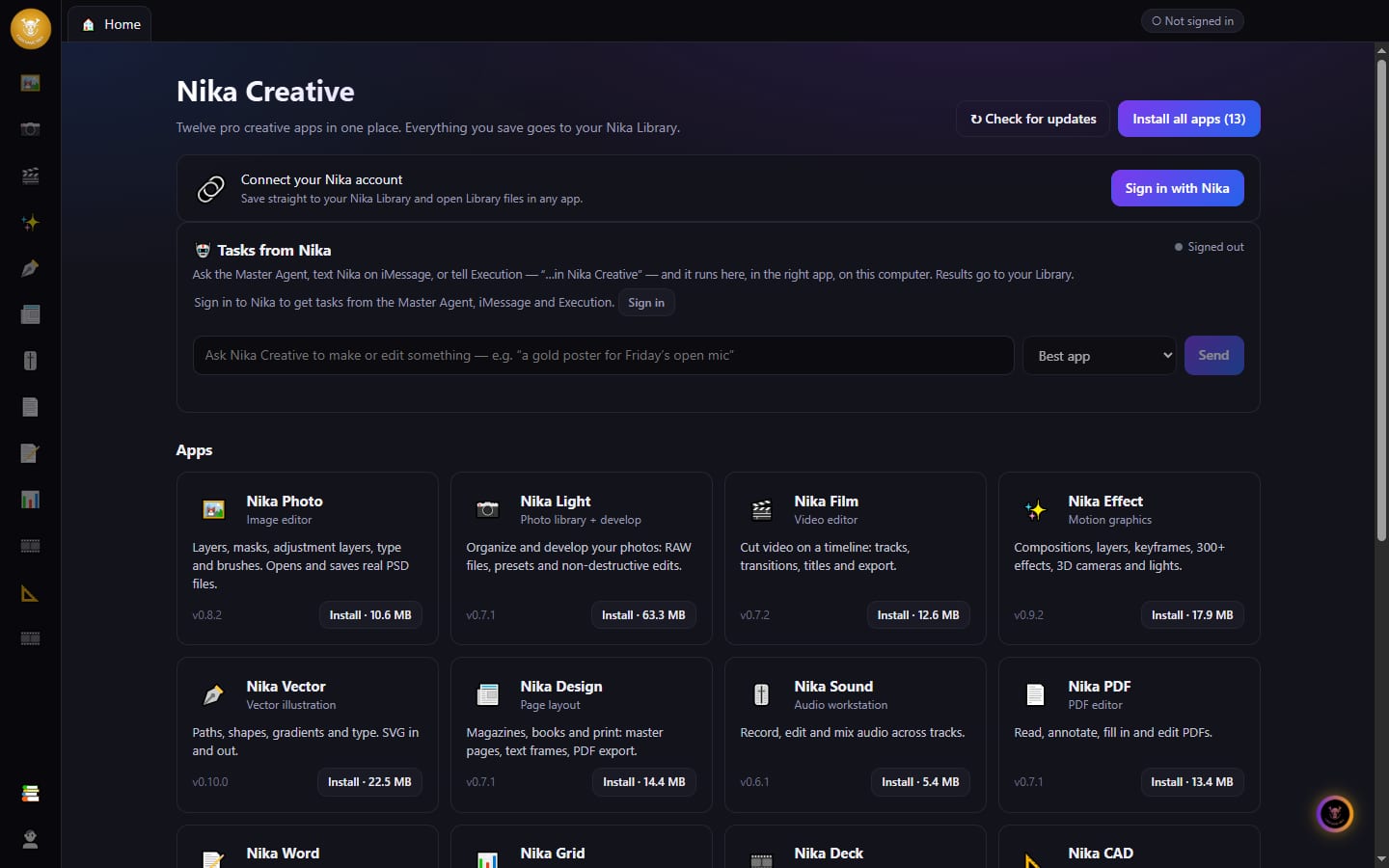
Thirteen apps, one download
Nika Photo
Image editor
Layers, masks, adjustment layers, type and brushes. Opens and saves real PSD files.
Nika Light
Photo library + develop
Organize and develop your photos: RAW files, presets and non-destructive edits.
Nika Film
Video editor
Cut video on a timeline: tracks, transitions, titles and export.
Nika Effect
Motion graphics
Compositions, layers, keyframes, 300+ effects, 3D cameras and lights.
Nika Vector
Vector illustration
Paths, shapes, gradients and type. SVG in and out.
Nika Design
Page layout
Magazines, books and print: master pages, text frames, PDF export.
Nika Sound
Audio workstation
Record, edit and mix audio across tracks.
Nika PDF
PDF editor
Read, annotate, fill in and edit PDFs.
Nika Word
Documents
Styles, tables, comments and .docx files.
Nika Grid
Spreadsheets
Formulas, charts and .xlsx files.
Nika Deck
Presentations
Slides and slide shows. .pptx in and out.
Nika CAD
CAD + drafting
Computer-aided design and drafting with DXF drawings.
Nika Editor
AI video editor
Describe a video and Nika writes it — edit it on a timeline, then render an MP4 to your Library.
Say it, and Nika does it
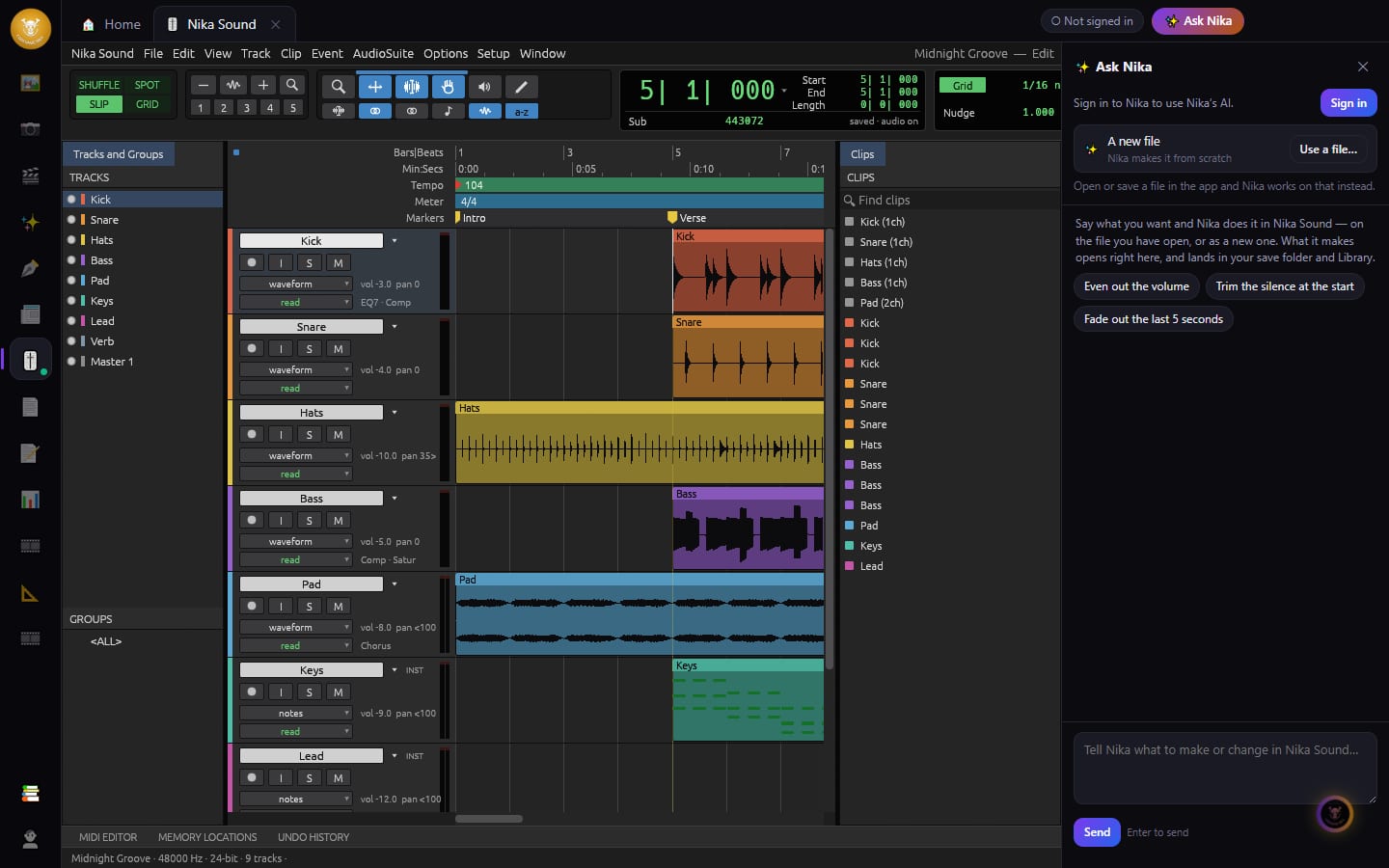
Every app has ✨ Ask Nika beside it. Tell it what to make or change — it works on the file you have open, and the result opens right there.
Ask Nika, in every app
Open a file and say what you want — “warm up this photo”, “trim the silence at the start”, “fade out the last 5 seconds”. Nika does it right in the app, on your file, or makes a new one from scratch.
Nika Editor — videos from a sentence
Describe the video you want. Nika writes it, you watch it play, ask for changes in plain words, then render a real MP4.
Everything lands in your Library
Whatever you save goes to your Nika Library, ready for your website, your ads and your team. Open any Library file in the right app with one click.
Tasks from anywhere in Nika
Ask your Master Agent, text Nika on iMessage or tell Execution “…in Nika Creative”. It runs here, in the right app, on this computer — and the result goes to your Library.
Up and running in 3 steps
Download and run it
Open NikaCreativeSetup.exe and pick where to install. No admin rights needed.
Sign in with Nika
Click “Sign in with Nika” on Home and approve it in the window that opens.
Add your apps
Open any app to install it, or press “Install all apps” on Home. Then start creating.
Your files stay yours
Everything you save goes to a folder on your computer (Documents/Nika Creative, or one you choose) and to your Nika Library. Rather keep your work local? Turn Library sync off in Settings.Nika desktop app · Nika Browser
Nika Creative includes open-source software — see Settings → Open-source licenses in the app.